
Find where your space went with clarity and speed
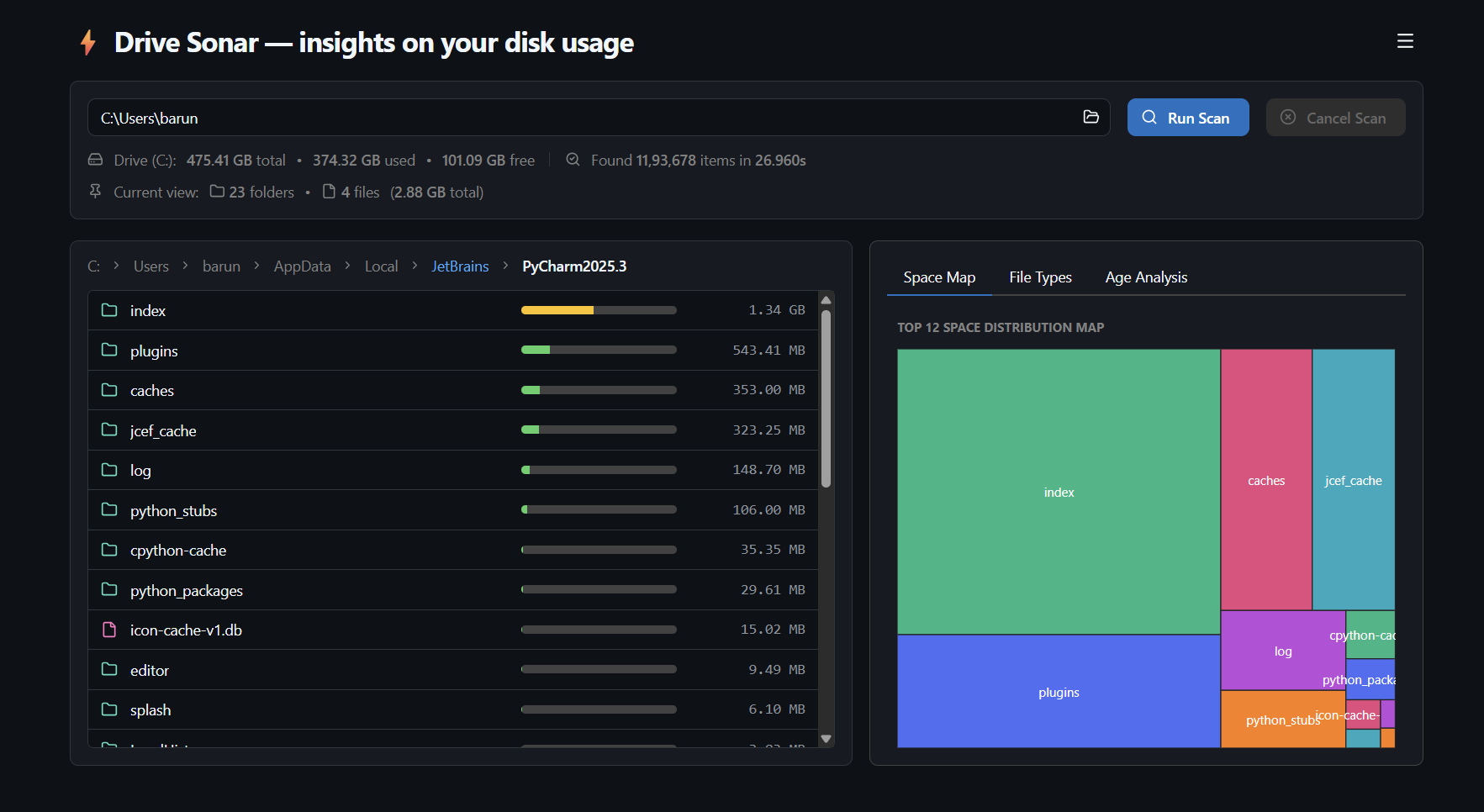
A lightweight, cross-platform approach to disk usage analytics. Scan millions of items quickly without administrator rights, minimal memory overhead, and multidimensional age analysis.
Install via Terminal
Get up and running in seconds with your preferred package manager or binary format.
Engineered for efficiency and privacy
Replaces slow legacy analyzers with a zero-telemetry, lightweight native architecture.
Cross-Platform Support
Optimized for Windows but also runs natively on macOS and Linux and supports different architectures.
Minimal Overhead
Built with Rust's speed and memory optimizations, using ~110 MB RAM when processing over 1.2M files.
User-Mode Execution
Runs fast without administrator elevation, ensuring safe, read-only file system access.
Multidimensional Plots
Go beyond treemap—cross-reference file sizes vs. age to isolate forgotten archives instantly.
Interactive Exploration
Browse items in your OS file manager, or safely move clutter to the Trash with confirmation protection and other safety checks.
Detailed Reports
Export point-in-time storage breakdowns to text files for easy space auditing and tracking growth.
Disk Scanner Performance Comparison
All scans performed on the same Windows machine and drive (SSD) over about 1.2M files
| Metric | Drive Sonar | WinDirStat | WizTree |
|---|---|---|---|
| Version tested | 0.6.0 | 2.8.0 | 4.3.1 |
| License | Apache 2.0 | GPL v2 | Proprietary |
| Runs in user mode (no admin required) | ✅ | ✅ | ❌[1] |
| Installed size [MB] | 5.7 | 7.1 | 20.0 |
| Peak memory usage (median)[2] [MB] | 108.7 | 239.6 | 635.2 |
| Warm scan time (median)[3] [s] | 3.3 | 9.1 | 6.5 |
| Cold scan time (single run)[4] [s] | 10.6 | 22.9 | 17.2 |
| Runs on[5] | Windows, Linux, macOS | Windows only | Windows only |
[1] Admin requirement: WizTree requires administrator privileges to read the NTFS Master File Table directly for its full-speed mode; without elevation it falls back to a slower standard directory scan. WinDirStat can be optionally run with admin privileges as well.
[2] Memory usage: Median of 3 independent runs, same scan location.
[3] Warm scan: Median of 5 independent runs of the same folder, each app already opened once beforehand (warm file-system cache) — the scenario most users encounter when re-scanning (e.g., after deleting files). Because all three tools benefit equally from the OS file-system cache under this condition, disk I/O latency is minimized for each of them alike — this measurement isolates each application's own processing efficiency (directory traversal, tree construction, size aggregation) rather than raw disk speed.
[4] Cold scan: Median of 3 independent runs per app, each following a full system restart. Disk activity was confirmed quiet via Resource Monitor before every run (queue length ~0, active time 1–3%, throughput under a few hundred KB/sec) to rule out background OS contention (updates, indexing, sync clients) as a confound. WizTree was run with administrator elevation (its intended mode, enabling direct MFT reads); WinDirStat and Drive Sonar were both run in standard user mode. WinDirStat does not report scan duration natively and was timed manually with a stopwatch. Item count varied slightly across runs (~1.2M items). Note: if background OS activity (updates, indexing, antivirus scans) is active during a scan, cold-scan times can spike well above these figures — we observed up to ~50s in earlier unconstrained trials — so results are only comparable when disk activity is confirmed idle beforehand.
[5] Optimization: Disk scanning speed is optimized for Windows.
Frequently Asked Questions
Is Drive Sonar open-source and free?
Yes, Drive Sonar is 100% free and open-source under the permissive Apache 2.0 License. You can view, audit, or fork the source code on GitHub.
Why does Drive Sonar excel at warm scans?
Drive Sonar is built in Rust with multithreaded directory traversal. When re-scanning directories already cached in system RAM by your OS, Drive Sonar processes tree aggregates and UI state with low memory usage.
How does Age Scatter Analysis help clean up space?
Standard treemaps only highlight file size. Scatter plots place file size on the Y-axis and file age on the X-axis, allowing you to instantly isolate massive files that haven't been modified in years.
Start visualizing your disk today
Tiny cross-platform binary. Available for Windows, macOS, and Linux.
